Gweike G2 Max Review: Real 50W Fiber Power, With a Catch
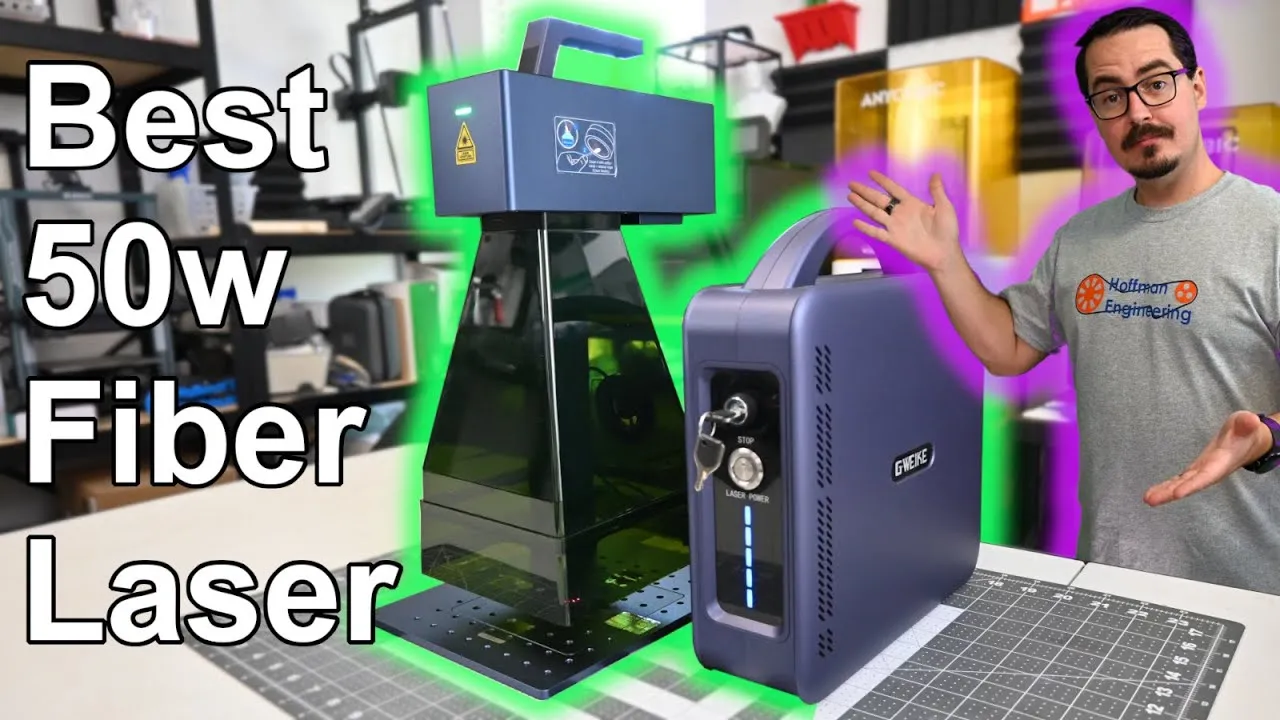
A 50W fiber laser that makes deep brass engraving much faster without losing detail. The catch is that frequency adjustment barely changes results, so plan to tune with power and speed instead.
Check price at GweikeOn this page
The Gweike G2 Max is a 50W fiber laser that keeps the compact, portable design of the G2 Pro and adds a lot more power. In my testing it deep engraved brass coins in half the time of the original Gweike G2, with deeper results, and it didn’t give up any detail on photo engravings. But there’s a catch. This Gweike G2 Max review covers a month of tests on metals and plastics, and the frequency behavior that had me convinced my unit was broken.
The Catch: Frequency Adjustment on the G2 Max
On the G2 and G2 Pro, power vs frequency tests were night and day. On the G2 Max, I could tell almost no difference between 10kHz and 70kHz. I repeated the test on acrylic and leather and got the same flat result.
I thought the machine might be defective. I contacted Gweike support and asked G2 Max owners on Gweike’s Facebook page, and I was told it was working correctly.
More testing turned up the answer. Coated aluminum showed some difference across frequencies. Then I ran a speed test at 15,000mm/s at 20kHz and 200kHz, and the individual pulses were visible and clearly changed. So the frequency setting works. My best guess is that the 50W source responds differently than the 20W and 30W versions, either through a different pulse length or different power output across frequency ranges.
The practical takeaway: on the G2 Max, materials don’t respond much to frequency. If you’re upgrading from an older G2 and you’re used to tuning frequency, plan to adjust power and speed instead. That’s how I dialed in every stainless steel color in this review.
The Second Catch: Is It a G2 Max or a G2 Pro?
The included USB stick has a folder labeled G2 Pro, and the manual on it is also labeled G2 Pro. The configuration files are correct for the G2 Max. But there is no G2 Max label anywhere on the laser, and it looks almost identical to the G2 Pro.
That combination has led plenty of owners online to wonder if they were shipped a G2 Pro by mistake. Once I started working with mine, the extra power was obvious. A prominent G2 Max badge on the hardware would fix this.
50W Fiber Laser Specs and Materials
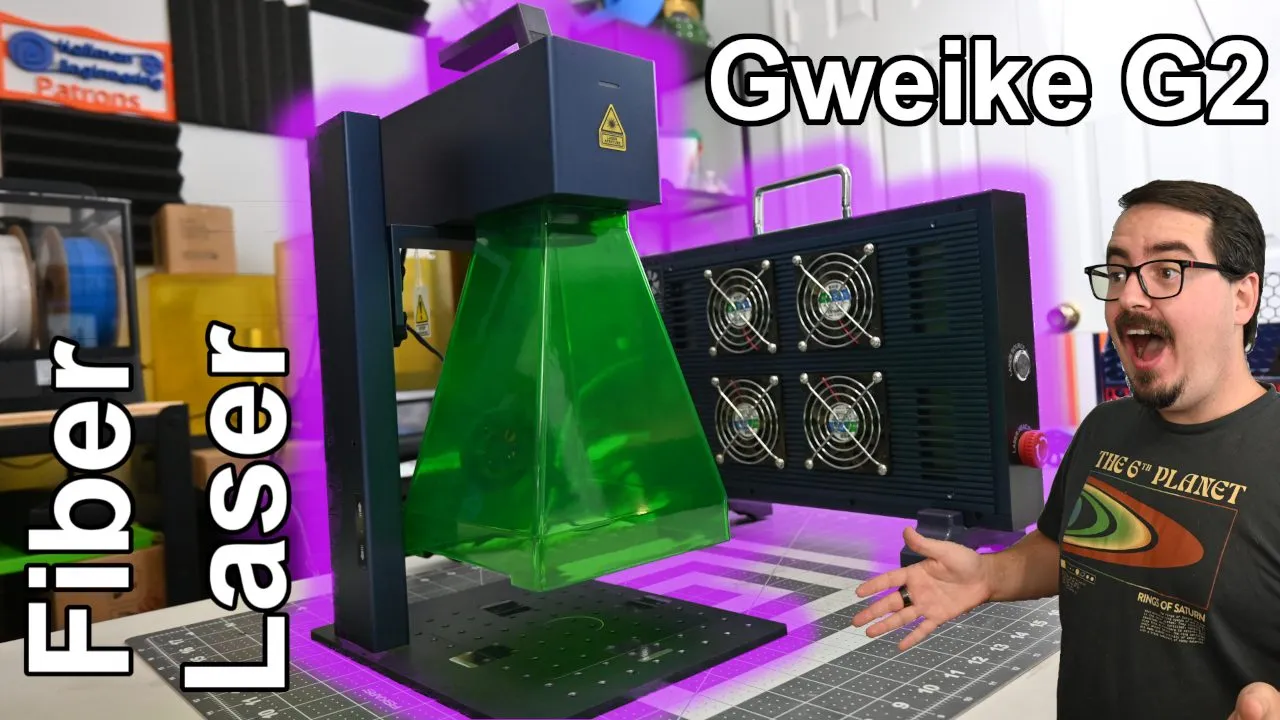
The G2 Max produces a 1064nm infrared beam from a 50W Ytterbium fiber source. Fiber lasers handle almost all metals (gold, silver, stainless steel, brass) plus dark plastics, leather and stone. Infrared does not work on wood or transparent materials like glass and clear acrylic.
The setup has two parts. The Laser Source generates the beam and sends it through a fiber optic cable to the Main Engine, where a pair of galvo mirrors redirect it through the focusing lens. Those galvos are rated for engraving speeds up to 15,000mm/s.
It’s a pulsed laser, so you control power percentage and pulse frequency. Gweike rates the frequency range at 20 to 200kHz, and most of its recommended material settings sit around 1,000mm/s at 30kHz.
The included 150 field lens gives you a 150 x 150mm work area. I never felt limited by it.
Red Positioning Laser and Electric Lift
An in-line red laser shines through the galvo so the software can trace your design before engraving, either the outer bounds or each individual shape. Alignment was spot on. The original G2’s red laser was slightly off, so this is a welcome fix, and it made positioning material easy.
The Main Engine sits on a lifting stand that raises and lowers it to focus. The G2 and G2 Pro came with a manual or electric lift option. The G2 Max only comes with the electric lift, controlled by up and down buttons on the side.
Three Ways to Focus
The focal pointer carries over from the G2 Pro and is still my favorite feature. A pointer on the head slides along a ruler on the stand that reads distance from the workbench. Engraving 5mm material? Move the head until the pointer reads 5mm and you’re focused.
You can also measure with the included ruler from the top of your material to the bottom of the Main Engine. The focal length is 261mm, the same as the G2 Pro and original G2.
The third option is the red focus dots. The in-line red laser and a fixed red dot on the Main Engine converge, and you move the head until the two dots merge on your material.
Workbench, Handheld Mode and the New Safety Shield
The stand includes screws and brackets for building an alignment jig, handy for batch jobs. For objects too big for the stand, you can remove the middle section and set the laser directly on the object. The Main Engine also tilts for angled surfaces.
The safety shield lets you take the Main Engine off the stand and use the G2 Max handheld. The shield sets the correct focal height, so you rest it on the surface and engrave. It was redesigned for the G2 Max: it’s now all plastic with smooth curves, the bottom riser is a single piece, the exhaust fan at the back still vents smoke, and the USB cable is now as long as the rest of the cables. When I recorded the video the shield was an optional add-on. The current G2 Max listing bundles it with the machine.
Laser Source and Cable Management
A tidy cable bundle runs from the Main Engine back to the Laser Source and does a good job protecting the fiber optic cable. The Laser Source looks almost identical to the G2 Pro’s, curved edges and all.
Up front there’s a safety key that doubles as the power switch, plus a button to enable or disable the laser source. Around back you get the power input, USB to your computer, USB-C for the lifting stand, micro-USB for the safety shield fan, and a USB-A port for accessories.
Rotary Attachments
Gweike sells a roller rotary and a chuck rotary for round and cylindrical objects. Both worked flawlessly with the G2 Max. The chuck comes with several pegs so it can hold anything from small rings to large cups, and it can be angled.
Alignment was easy in my rotary tests, including a brass ring.
Assembly
There’s almost nothing to assemble. Four screws attach the base of the stand, and the Main Engine screws onto it. Peel the adhesive backing off the focal pointer, stick it to the lift, plug in the cables and you’re ready. It’s as easy as the earlier G2 models.
Software: GLaser and LightBurn
Gweike includes GLaser on the USB stick, and the manual does a good job explaining its basic functions and settings. If you prefer LightBurn, version 1.7 supports fiber lasers like the G2 Max, and setup was easy.
I switched between the two often during testing with no problems. Many fiber lasers use EZCad2, whose drivers conflict with LightBurn’s, so you have to uninstall LightBurn to go back. GLaser coexists with LightBurn, and you can switch between them whenever you want.
Test Results: Coated Aluminum, Brass and Slate
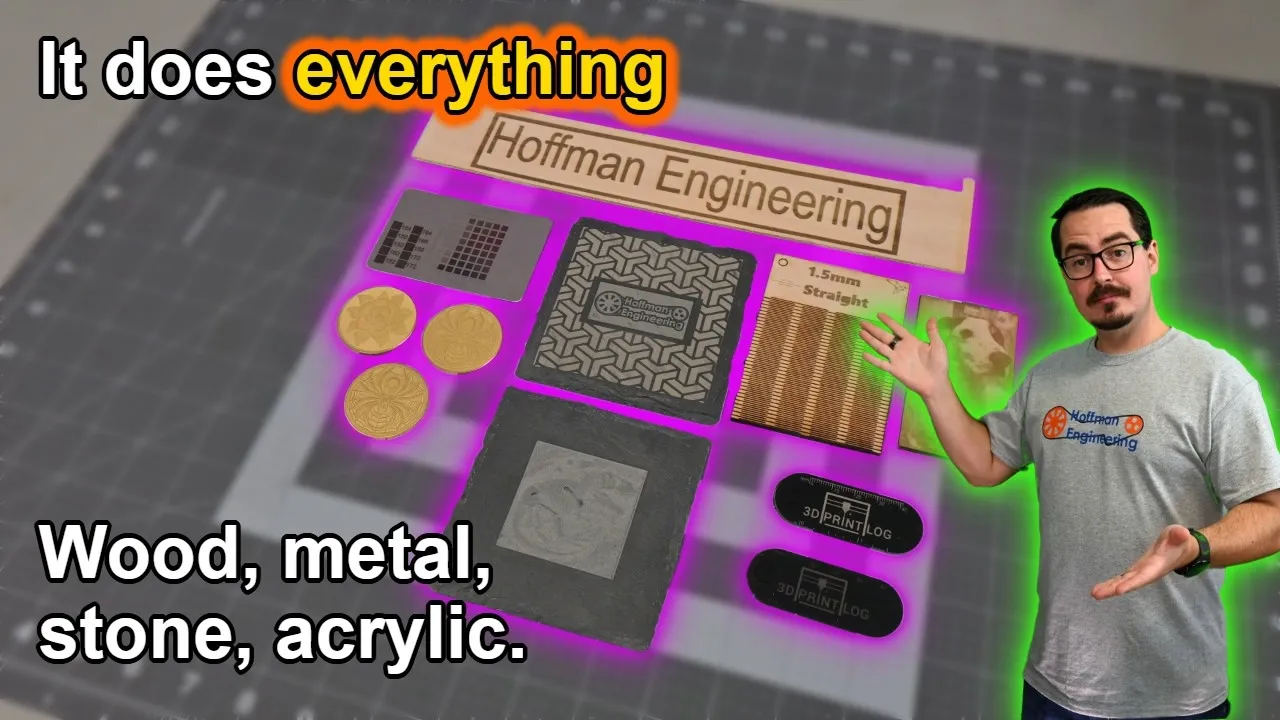
Coated aluminum: Gweike includes a set of coated aluminum cards. Hoffman Engineering logos came out crisp on every color I tried. A vector line art design took 2 seconds to engrave, and an Albert Einstein photo on black aluminum looked excellent. More power didn’t cost any precision.
Brass coins: this is where the G2 Max shines. Deep engraved coins took half the time of the original G2 and still came out deeper. LightBurn’s 3D Slice feature makes these 3D effects easy.
Brass jewelry: earrings were easy to align and engraved deeply after a few passes. The brass ring on the rotary was a breeze, though it came out with a slightly rough surface. I think I used too much power and left some slag behind. That should be easy to dial in.
Slate: coasters got a bright white mark. One pass gives high contrast, and a few more passes add a deeper 3D look.
Test Results: Dark Acrylic and Stainless Steel
Dark acrylic and plastics: black acrylic engraves pure white, perfect for instrument panels, signs and keychains. My 3D Print Log keychain came out great, and the engraved ruler confirmed the G2 Max arrived perfectly calibrated.
Cutting stainless shim stock: 0.13mm (5 thousandths) stainless shim cut through in 4 passes with a clean edge. The heat warps thin shim, so keep that in mind.
Stainless steel colors: I got a wide range of shades, from blues and greens through pinks and magentas. Defocusing by raising the laser 2mm helped. These tests used a fixed frequency and varied power and speed, which is different from my G2 and G2 Pro tests. That’s the frequency catch covered above.
Verdict: Should You Buy the Gweike G2 Max?
The Gweike G2 Max is an excellent 50W fiber laser that keeps improving on the G2 and G2 Pro. The extra power is real. It eats through brass, deep engraving is much faster, and detail work didn’t suffer. Gweike also kept refining the design, and the new safety shield is a big step up in looks and function.
It makes the most sense if you engrave metal and want to cut job times, and you’re comfortable tuning with power and speed. If you’re coming from a G2 or G2 Pro and rely on frequency adjustments, expect to change how you dial in settings. And the G2 Pro labeling on the USB stick will make you double check what’s in the box.
The G2 Max was $2,599 when I recorded the review. It’s now listed at $2,499 with the electric lift and safety shield, and code HOFFMAN takes $250 off. At recording I called it one of the most affordable 50W fiber lasers on the market.
Check the latest price on the Gweike G2 Max and use code HOFFMAN for $250 off.
Pros and cons
✓ Pros
- 50W source eats through brass. Deep engraved coins took half the time of the original G2 and came out deeper
- No loss of precision. Photo engravings on black coated aluminum look crisp
- Focal pointer on the stand makes focusing as easy as matching your material thickness
- In-line red laser alignment is spot on
- Redesigned all-plastic safety shield with exhaust fan and a longer USB cable
- GLaser and LightBurn can be installed side by side without driver conflicts
- Almost no assembly. Four screws for the base and the head screws onto the stand
- Rotary roller and chuck attachments both worked flawlessly in testing
✗ Cons
- Frequency adjustment barely changes results compared to the G2 and G2 Pro, which takes a new tuning mindset
- No G2 Max label on the machine, and the included USB stick and manual are labeled G2 Pro
- Looks almost identical to the G2 Pro, so it is hard to confirm which model you received
- No manual lift option, only the electric lifting stand
- Infrared wavelength does not work on wood or transparent materials like glass and clear acrylic
- Thin stainless shim stock warps from the heat when cutting
Specs
| Laser Source | 50W Ytterbium fiber laser |
|---|---|
| Wavelength | 1064nm (infrared) |
| Work Area | 150 x 150mm (150 field lens) |
| Max Engraving Speed | 15,000mm/s (galvo) |
| Pulse Frequency | 20 to 200kHz (rated); changes results far less than on the G2 and G2 Pro |
| Focal Length | 261mm |
| Lift | Electric lifting stand only |
| Focusing | Focal pointer and ruler, measuring ruler, red focus dots |
| Software | GLaser (included), LightBurn 1.7 or newer |
| Connectivity | USB to computer |
Where to buy
- Gweike G2 Max 50W (150x150mm, Electric Lift + Safety Shield)$2,499 →
- G2 Safety Shield (150mm)Check price →
- G2 Roller Rotary$129 →
- G2 Chuck RotaryCheck price →
Use code HOFFMAN for $250 off at Gweike. Prices may have changed since this review.
FAQ
What is the catch with the Gweike G2 Max?
Frequency adjustment doesn't behave like it does on the original G2 and G2 Pro. In my tests, 10kHz and 70kHz looked almost the same on several materials, and I only saw the pulse frequency change clearly in a 15,000mm/s speed test. Gweike support confirmed the machine was working correctly. On the G2 Max, you'll get further adjusting power and speed than frequency. The other gripe is branding, since the USB stick and manual say G2 Pro and the laser has no G2 Max label.
What materials can the Gweike G2 Max engrave?
As a 1064nm fiber laser, it works on almost all metals (gold, silver, stainless steel, brass, coated aluminum), dark plastics, leather and stone such as slate. It does not work on wood or transparent materials like glass or clear acrylic. It also cut 0.13mm (5 thousandths) stainless shim stock in 4 passes.
Does the Gweike G2 Max work with LightBurn?
Yes. LightBurn 1.7 supports fiber lasers like the G2 Max, and setup was easy. Gweike also includes GLaser on a USB stick. Unlike EZCad2, GLaser's drivers don't conflict with LightBurn's, so you can keep both installed and switch between them.
How much more powerful is the G2 Max than the original G2?
Deep engraving a brass coin took less than half the passes on the G2 Max compared to the 20W original G2, and the result was still deeper. Gweike's G2 Pro sits between them at 30W.
Can the Gweike G2 Max be used handheld?
Yes, with the safety shield. Remove the Main Engine from the stand, attach the shield, and rest it on the surface. The shield sets the correct focal height, so you can engrave large objects that won't fit on the stand.
This Gweike G2 Max was provided by Gweike for review. Gweike did not pay for this review. This post contains affiliate links. If you purchase through them, I may earn a small commission at no extra cost to you. All opinions are my own.
See how the Gweike G2 Max compares to the other lasers I've tested