HeyGears Reflex RS Turbo Review: 2 Fails in 50+ Prints
A complete, consistent printer, wash and cure workflow for small businesses that want proven settings print after print. Hobbyists who want to tune exposure for other brands' resins should look elsewhere.
Check price at HeyGearsOn this page
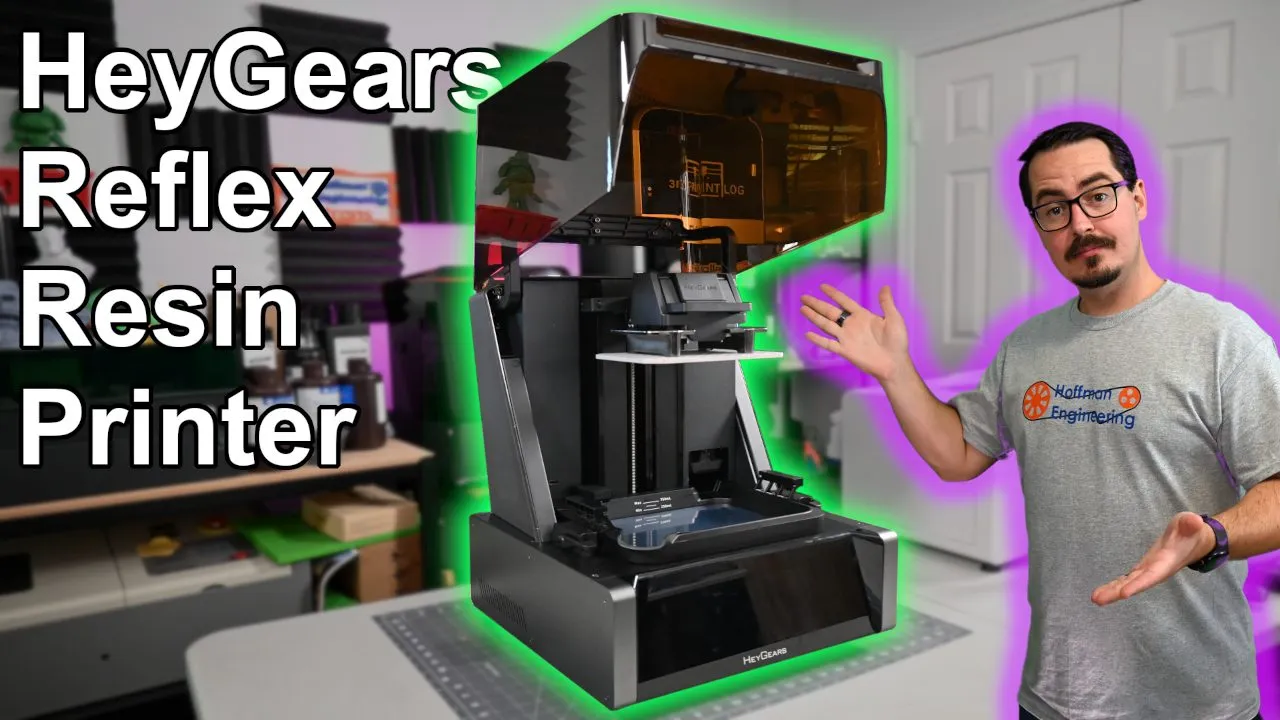
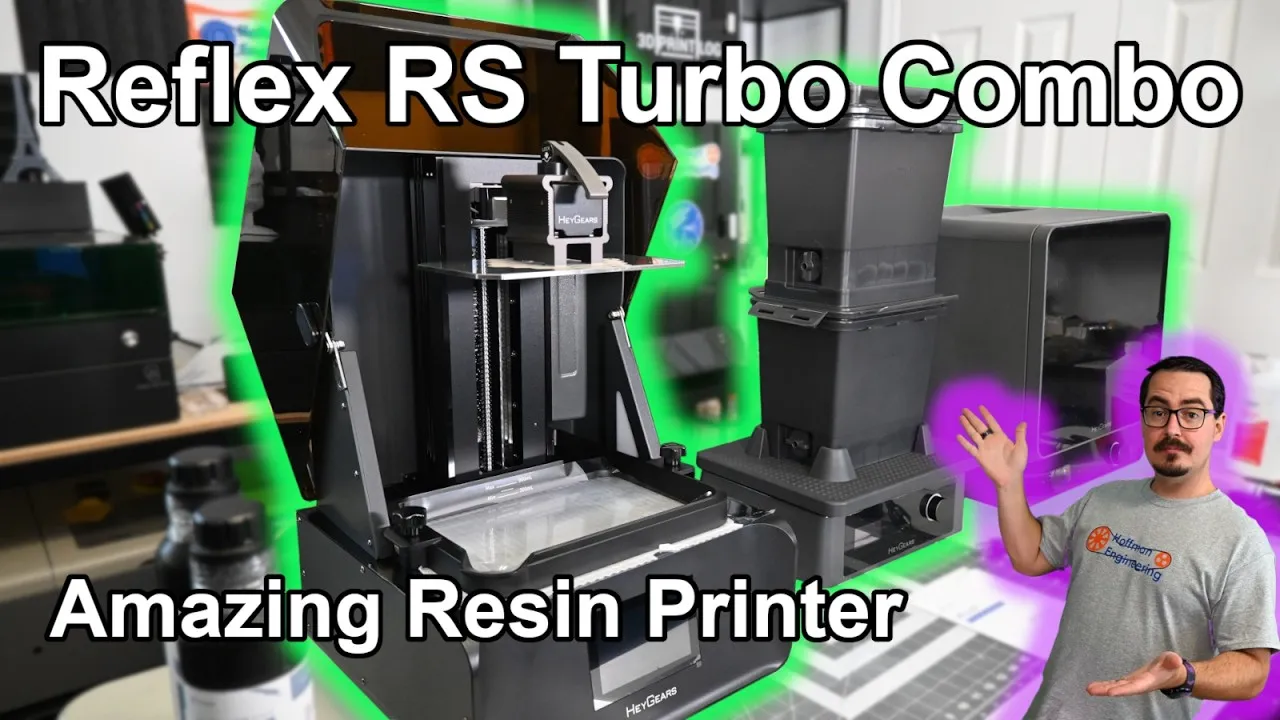
The HeyGears UltraCraft Reflex RS Turbo Combo is the most advanced resin printing setup I’ve tested: a printer with a new 8K amber screen, force sensors that check every layer up to 80 times a second and a resin vat that fills itself, plus a wash station and a cure station. After a month of testing, more than 50 prints and 5 liters of resin, I had only two failed prints. This Reflex RS Turbo review covers the screen, the sensors, the slicer, the wash and cure workflow and the one big catch.
The 8K Amber Screen: The Only Change from the Reflex RS
HeyGears released the original Reflex RS in September 2024. The Turbo’s only change is the screen: a 10.3 inch 8K amber screen with a new set of dyed polarizers and optical film. HeyGears claims it gives clearer, sharper results, faster printing and light intensity that stays even and consistent over time.
To check the evenness, I laid a sheet of paper over the screen and turned it on. The light was remarkably uniform. My daily driver, the Anycubic Photon Mono M5, shows a visible grid where each UV diode overlaps the next, which means resin cures unevenly in those spots. With the Turbo you can pack the plate full of parts and every one turns out well, wherever it sits.
The native pixel size is 29.7 microns, and with the anti-aliasing and fuzzing algorithms, the detail is excellent.
If you already own a Reflex RS, you can buy the new screen and the Light Intensity Calibration tool and upgrade it to a Turbo.
Build Volume and Build Plate
The rest of the machine matches the Reflex RS. A dark amber lid lifts over to reveal the plate and vat. The build volume is 222 x 122 x 228mm. That isn’t the largest resin printer out there, but I never felt limited by space.
The plate locks in with a single lever and has a hexagonal pattern etched into it. Adhesion was spot on: parts stayed put during printing and came off afterwards without damage to the part or the plate. No part ever failed by detaching from the bed.
Two small notes on the plate. First, four screw holes poke through the bottom, and they can leave small bumps. With a raft that doesn’t matter, but flat parts printed directly on the bed can show them. Second, the top is perfectly flat, so resin doesn’t run off on its own. You can scrape it, or print HeyGears’ side drain, which holds the plate over the vat to drip. I highly recommend the side drain.
Auto Bed Leveling and Force Sensors
The Reflex RS Turbo levels itself with a floating screen. Before each print it homes the plate, and actuators under the vat tilt the screen up to 0.15 degrees, adjusting up to 240 microns.
On first setup you may need more adjustment than that, and the printer walks you through it. Force sensors in the print arm measure how hard each corner of the plate pushes on the screen with 0.1 newton accuracy, then tell you how to turn the two adjustment screws until the force is even. After that, the floating screen handles the rest.
Those sensors keep working during the print. The printer reads them up to 80 times a second and adjusts its motion for the best print speed, and you can watch each layer’s peel as a heartbeat-style graph on screen.
They also catch problems. Failed prints can leave debris in the vat, and the printer can detect pieces as small as 0.2mm before a new print starts. I dropped a chunk of support into the vat, started a print, and it warned me before printing. That feature worked great.
Resin Vat, Auto-Fill and Heated Vat
The vat ships with FEP film installed, and the printer tracks its use and estimates remaining life. After more than 50 prints and 5 liters of resin, the software showed about 25% left. A corner spout makes pouring resin back into the bottle easy, and HeyGears’ printable filter holder is handy. The molded plastic drip trays that clip onto the vat edge are a simple, smart addition that catches every drop.
Resin comes in 1 liter cartridges with a check valve on top. Slide one into the slot and a pin at the back of the vat opens the valve, and the printer keeps the vat about 600ml full. Auto-fill worked perfectly. It never overfilled, and the valve closes when you lift the cartridge, so nothing spills. Use the adjustable feet to level the printer on your table so auto-fill reads correctly.
HeyGears also sells a heated vat that warms resin to 22°C so it flows well between layers. My Florida shop was already warmer than that in summer, but it’d help in colder months. That vat also works with the optional Pulsing Release Module, which pulses air within the release film to cut peel force. I didn’t have the module, so I couldn’t test it.
HeyGears Resins and Validated Profiles
HeyGears has 12 resin types with validated settings for the Reflex RS Turbo, covering high detail, flexibility, durability, general use and more. Most come in cartridges with an RFID chip that tells the printer what’s loaded.
A few don’t come in cartridges, so you pour them in and keep the vat topped up yourself. That’s where my second failure came from. I didn’t add enough resin and hadn’t leveled the printer with its feet, so one corner of the vat ran dry and part of a print was missing. That was entirely user error, and it’s the kind of failure the cartridge system prevents.
The first failure was a model that came with its own supports and popped off them. Re-supporting it in HeyGears’ software fixed it.
Touch Screen and Wi-Fi
The 5 inch touch screen is excellent. It’s responsive, works with gloves on, and the menus are well laid out, with prompts that walk you through every adjustable feature. Wi-Fi handles over-the-air firmware updates and wireless uploads from the slicer.
Blueprint Studio Slicer: Easy, but Locked Down
Blueprint Studio, along with the Blueprint Go mobile app, runs the whole system. It connects to your printers, washers and cure stations, sends files to them wirelessly, and offers cloud storage for up to 20 projects, or you can save locally.
When you start a project, you pick the resin and layer height and the slicer handles everything else. Most resins have 50 and 30 micron profiles, and some only 50. With the three resins I tested, which have very different properties, each profile was clearly tuned for good results.
That’s also the biggest restriction. You get no direct control over layer height, exposure time or print speed. Using another brand’s resin means hoping one of HeyGears’ profiles happens to suit it, and you’re mostly limited to 50 or 30 micron layers.
The slicer itself has everything you’d expect: auto-orientation, hollowing, hole placement, support generation and layout, with a one-click button that runs the whole workflow. Automatic supports were excellent, with enough support for each overhang while staying thin and easy to remove with minimal marks. HeyGears keeps adding features too. During my month of testing, they added multiple build plates in a single project.
Slicing is the weak spot. There’s no slice preview, and slicing takes about a minute in the background. The printer accepts files over LAN, but the washer and cure station only get them through cloud sync.
Printing on the Reflex RS Turbo
Once a file is on the printer, starting a print is simple. Pick the file (it defaults to the latest upload) and press print. The printer heats the resin if you have the heated vat, lowers the plate, checks for debris, levels itself and starts. The amber interior lights let you see the print, and the force graph lets you keep an eye on it.
When it finishes, clip on the drip tray, and if you printed the side drain, hang the plate to drain.
UltraCraft Wash: The Best Part of the Combo
The UltraCraft Wash comes in the combo or on its own. You get a wash base and two washing boxes. Scrape the parts into one box, fill it with isopropyl alcohol the first time, close the lid and set it on the base. Set speed and duration by hand, or send the file from Blueprint Studio so the washer picks them. Then turn the knob to start.
The base shakes the box so the alcohol sloshes into every gap, including the inside of hollow prints. Cycles ran 3 to 5 minutes.
Here’s my favorite part. When the cycle ends, set the full box on top of the empty one, open the ball valve at the bottom and the air valve at the top, and the alcohol drains into the lower box, leaving clean parts on top. A final rinse from a spray bottle drains down too. For the next wash, put your parts in the empty box, stack the alcohol box on top and drain it down onto them. Washing and drying became amazingly easy. Even with a non-HeyGears printer, I’d consider this washer.
The drawback: agitation can knock parts together and occasionally leave marks. I saw it on heavier prints like two large columns and some large busts. Most of the time, even very delicate parts came through undamaged.
A shake mode lets you set RPM and time, which I used to mix resin bottles before loading them.
UltraCraft Cure Station
The UltraCraft Cure finishes parts after washing and support removal. It has a highly mirrored interior and strong dual-wavelength UV LEDs that cure from every angle while a turntable spins the parts. Set times by hand or send the file through the cloud to set them automatically. Cure times ran from 5 to 20 minutes depending on the resin.
It can also heat to 60°C to bake or anneal resins that benefit from it. It cured every resin I tested evenly, though I don’t have a good way to quantify how effective it is.
Print Results with PAF10, PAP10 and PAS10 Resin
I tested three resins. An easy way to remember them: F for flexible, P for precision, S for standard.
PAF10 (Volcanic Gray) is a durable, semi-flexible PVC-like resin for parts that get handled, such as models, figurines and miniatures. The test card showed exceptional detail, down to the basket weave texture. A tree scene made from four glued prints looked outstanding, and thin crossbow bolts bend without breaking, though thick sections aren’t very flexible. A resin bottle filter holder printed well with threads that fit perfectly. The flexibility can cause trouble on large surfaces printed fully on supports: one corner detached mid-print, and the finished part curved enough not to fit. Add extra supports in spots like that.
PAP10 (Ash Gray) is the high-precision resin, and I loved printing with it. A dragon showed every link of chainmail and the fine armor pattern, every pillar of the Prusa test part printed, and the thin spokes of a bike model and a tower structure were pristine. In the torture test, it printed a 10 degree, 20mm long overhang without supports. It only struggled at very thin walls: 0.24mm walls started waving and 0.12mm walls failed. That’s among the best resin results I’ve tested. It also suits batch miniatures, but check orientation, because auto-orientation sometimes put supports on faces.
PAS10 (Pale Purple) is HeyGears’ standard modeling resin and its least expensive. It comes in a non-cartridge bottle, so you fill the vat by hand. It has a matte finish that hides layer lines and is durable and impact resilient, good for rapid prototyping. It shows less fine detail than PAF10 and PAP10, but you only notice side by side, in hair, headdresses and armor filigree. For larger parts it’s a great option.
Reflex RS Turbo Pricing
At recording, the Reflex RS Turbo had an early bird sale running until June 19, 2025: $1,686 for the combo, $799 for the printer alone, $359 for the wash station and $749 for the cure station. Resin was $55 per 1kg for PAF10, $59 for PAP10 and $33 for PAS10, which is good pricing for vendor-specific resin.
As of November 2026, the HeyGears store lists the Reflex RS Turbo Combo at $1,708 and the printer alone still at $799. The UltraCraft Wash is $330 and the UltraCraft Cure is $579. Resin is cheaper too: Volcanic Gray PAF10 is $37.99, Ash Gray PAP10 is $43.99 and PAS10 is $29.99 per 1kg bottle. Code HOFFMANENGINEER takes another $50 off.
Verdict: Should You Buy the HeyGears Reflex RS Turbo Combo?
I loved working with this combo. Most of my resin experience is with entry to mid-level machines, and the Reflex RS Turbo is a different experience: tailored resin profiles, a printer that levels and monitors itself, and wash and cure stations that remove the guesswork. You go from model to finished part without tweaking a setting. The amber screen’s even light gave me high-detail prints across the whole plate, debris detection prevents failures, and the two-box washer made washing and drying a breeze. In a month of testing, only two prints failed, and both had simple fixes.
The catch is vendor lock-in. The printer is built around HeyGears’ slicer and resins. It doesn’t block other resins, but you can’t adjust exposure, so the best you can do is hope a HeyGears profile works with your brand.
For a small business that wants an easy ecosystem with proven settings and consistent, detailed results print after print, this is exactly what you’re looking for, without paying double or triple for a commercial-focused system. The printer alone is still within reach of a hobbyist who wants a tool rather than a project. But if you like tinkering and experimenting with resins from different brands, this isn’t the printer for you.
Check the latest price at HeyGears and use code HOFFMANENGINEER for $50 off.
Pros and cons
✓ Pros
- Amber screen has remarkably even light intensity, so parts print well anywhere on the plate
- Only two failed prints in a month of testing, both fixable (supplied supports and user error)
- Force sensors guide bed setup, show a live peel graph and catch vat debris as small as 0.2mm
- Cartridge auto-fill kept the vat level consistent and never overfilled
- Validated profiles for 12 HeyGears resins worked perfectly with no setting changes
- Two-box UltraCraft Wash drains alcohol between boxes and makes washing and drying easy
- Excellent automatic supports with a good balance of strength and easy removal
- Existing Reflex RS owners can upgrade to the Turbo by buying the new screen and calibration tool
✗ Cons
- No control over exposure, layer height or speed, so other brands' resins need a lucky profile match
- Washing agitation can knock larger parts together and leave marks
- Slicing takes about a minute with no slice preview
- Washer and cure station only receive files through cloud sync, not LAN
- Four screw holes in the build plate can leave bumps on parts printed flat without a raft
- Flat build plate holds resin unless you scrape it or print the side drain
Specs
| Technology | MSLA resin |
|---|---|
| Build Volume | 222 x 122 x 228mm |
| Screen | 10.3 inch 8K amber screen |
| XY Pixel Size | 29.7 microns (native) |
| Layer Heights | 50 or 30 microns (set by HeyGears resin profiles) |
| Bed Leveling | Floating screen auto-leveling, up to 0.15 degrees (240 microns) |
| Force Sensing | 0.1N accuracy, sampled up to 80 times a second |
| Debris Detection | Down to 0.2mm |
| Resin Supply | Auto-fill from 1L RFID cartridges, vat kept about 600ml full |
| Display | 5 inch touch screen |
| Connectivity | Wi-Fi (LAN upload, cloud sync, OTA firmware updates) |
Where to buy
- Reflex RS Turbo Combo (Printer + Wash + Cure)$1,708 →
- Reflex RS Turbo (Printer Only)$799 →
- UltraCraft Wash$330 →
- UltraCraft Cure$579 →
- PAF10 Flexible Production Resin, Volcanic Gray (1kg)$37.99 →
- PAP10 Precise Detail Resin, Ash Gray (1kg)$43.99 →
- PAS10 Standard Modeling Resin, Pale Purple (1kg)$29.99 →
Use code HOFFMANENGINEER for $50 off at HeyGears. Prices may have changed since this review.
FAQ
Is the HeyGears Reflex RS Turbo Combo worth it?
It is if you want a printer, washer and cure station that work together with proven settings, such as a small business ramping up resin production. Over a month of testing it produced consistent, highly detailed prints with only two failures. If you want to tinker with exposure settings or use other brands' resins, it's a poor fit.
What is the difference between the Reflex RS Turbo and the Reflex RS?
The only change is the screen. The Turbo uses a new 10.3 inch 8K amber screen with dyed polarizers and optical film, which HeyGears says gives sharper results, faster printing and steadier light intensity over time. Everything else matches the Reflex RS, and Reflex RS owners can buy the new screen and Light Intensity Calibration tool to upgrade.
Can you use third-party resin in the HeyGears Reflex RS Turbo?
You can pour any resin into the vat, because the printer doesn't lock out resins by RFID. But Blueprint Studio doesn't let you adjust exposure times, speeds or layer heights, so the best you can do is pick one of HeyGears' resin profiles and hope it suits your resin.
How does the HeyGears UltraCraft Wash work?
You fill one washing box with isopropyl alcohol and the base shakes it so the alcohol sloshes through every gap in your parts, usually for 3 to 5 minutes. When it's done, you stack that box on the empty one and open the valves, and the alcohol drains into the bottom box, leaving clean parts on top. The next wash drains the alcohol back the other way.
What layer heights does the Reflex RS Turbo support?
Layer height comes from HeyGears' validated resin profiles. Most resins have a 50 micron and a 30 micron setting, and some only have 50 microns.
This HeyGears UltraCraft Reflex RS Turbo Combo was provided by HeyGears for review. HeyGears did not pay for this review. This post contains affiliate links. If you purchase through them, I may earn a small commission at no extra cost to you. All opinions are my own.