EM-Smart Nova Review: An 18 lb Fiber Laser That Folds
A compact, foldable 20W fiber laser with some of the best engraving quality I've seen at this power level. A strong pick for hobbyists and small businesses who mostly engrave and only occasionally cut thin metal or deep engrave.
Check price at EM-SmartOn this page
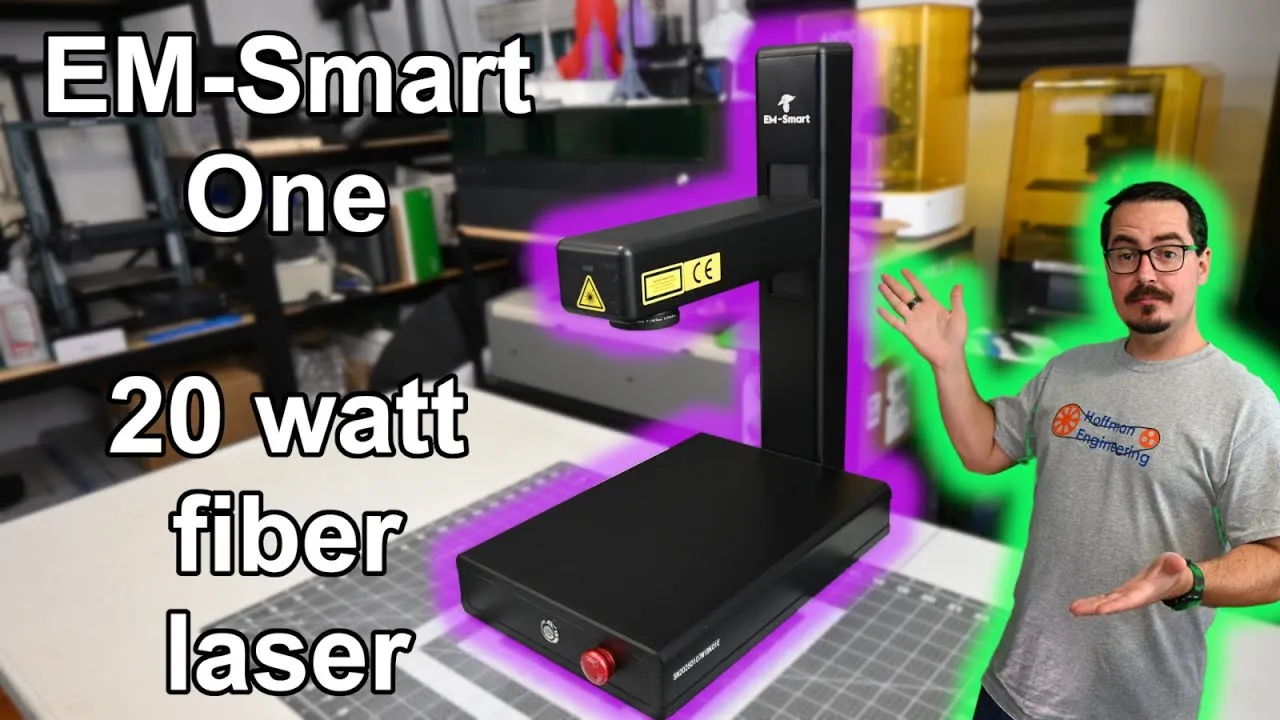
The EM-Smart Nova is a 20W fiber laser that folds flat when you’re done with it, and it weighs only 18 pounds. I spent a month with it, deep engraving a brass coin, cutting stainless steel shim stock, and making photo engravings on black acrylic that are some of the best I’ve gotten from any 20W fiber laser. This EM-Smart Nova review covers the design, setup, software, results on each material, and what it costs now.
The Nova was called the EM-Smart One when I tested it, so you’ll see that name on the machine and in the video. EM-Smart has since rebranded it. Same laser.
Foldable Fiber Laser Design and Weight
Folding is the reason to look at this machine. The laser arm folds down onto the base, so the Nova is easy to carry around and store. To use it, lift the arm, tighten two thumb screws, and you’re ready to engrave.
It’s light, too. At 8.5kg (18 lb) it’s very light for a fiber laser, and the integrated design keeps the footprint small while it’s running. If your workshop is short on space, that matters more than any spec on this page.
The Nova is a 20W fiber laser with a 1064nm infrared beam. Fiber lasers cut and engrave almost all metals, and they also engrave many plastics and natural materials like leather and stone.
Galvo Mirrors, Pulse Frequency and the Red Laser
A pair of galvo mirrors steers the beam through the focusing lens onto your material. They’re fast: EM-Smart rates engraving speed at up to 10,000mm/s and claims a repeatable accuracy of 0.002mm. I don’t have the equipment to check that accuracy number, but the Nova is very precise in practice. The detail I got on black acrylic shows it.
Like every fiber laser, it’s pulsed, and different materials respond to different frequencies. The 20W source adjusts from 30 to 60kHz. That’s not the widest range out there, but I always found a frequency that worked for every material I tested.
For positioning, an inline red laser can frame the border, the outer contour, or the full design. It was easy to see from every angle, on every material, and even through laser safety glasses.
Focusing the EM-Smart Nova
There’s no autofocus or electric lift. You focus with a knob on the back that raises or lowers the laser arm.
To find focus, the Nova pairs a stationary red dot with the inline red laser. Put your material down and move the arm until the two dots meet. On my unit the stationary dot sat about 1mm to the side, so they never merged into one. Once they were right next to each other, though, I was in focus.
I always double-check focal distance by engraving a design at an angle and finding where the engraving is strongest. On the Nova, that point matched the two-dot method exactly.
Work Area, Jigs and Accessories
With the included lens you get a 110 x 110mm work area. EM-Smart also sells a 70mm lens for higher resolution and a 150mm lens for a larger area.
The removable work surface has an array of threaded holes for the included alignment jigs, which help when you’re running the same job over and over. The surface slides around easily, so secure it before you rely on the jigs. Objects can be up to 95mm tall. Any taller and you can’t reach focus.
EM-Smart sells a rotary attachment for round and cylindrical objects, smoke and air purifiers, and a full enclosure for eye protection and easier ventilation. The one I’d add is the foot pedal: it starts jobs without a walk back to your computer.
Assembly and a Loose Galvo Cable
The Nova ships flat-packed in a retail-style box that’s small next to other fiber lasers I’ve tested. Setup is fast: fold the arm up, secure it with the two bolts on the back, and plug in power and USB. You can be engraving in minutes.
My first job didn’t go to plan. It engraved only a straight line. EM-Smart’s support technicians diagnosed a faulty galvo motor after some quick troubleshooting and promptly sent a whole replacement galvo assembly. When I went to swap it, I found the real problem: the cable to one galvo motor had come loose, possibly in shipping. I plugged it back in and everything worked.
So if your first job draws a line, check that cable before anything else. And the support experience was quick and helpful.
EZCad 2 and LightBurn Setup
EZCad 2 comes on the included USB stick. It isn’t my favorite program, but it gets the job done. EM-Smart calibrates every machine at the factory and puts that machine’s config on the stick, so you launch EZCad 2 and start engraving. The stick also holds a long list of material parameters. They were a great starting point, and I always found the right settings for the next material.
The Nova also works with LightBurn, which I recommend to anyone with a laser. Fiber lasers need a LightBurn Pro license. Setup was easy because LightBurn imports EZCad 2 configurations.
One calibration step was needed. Sizes came out wrong at first: a 70mm ruler engraved on both the X and Y axes measured around 63mm. LightBurn lets you enter the desired and actual sizes and calculates the scale for you, and after that the sizing was perfect. LightBurn’s documentation walks you through this, and EM-Smart’s support says they’re happy to help if you get stuck.
Engraving and Cutting Metal With a 20W Fiber Laser
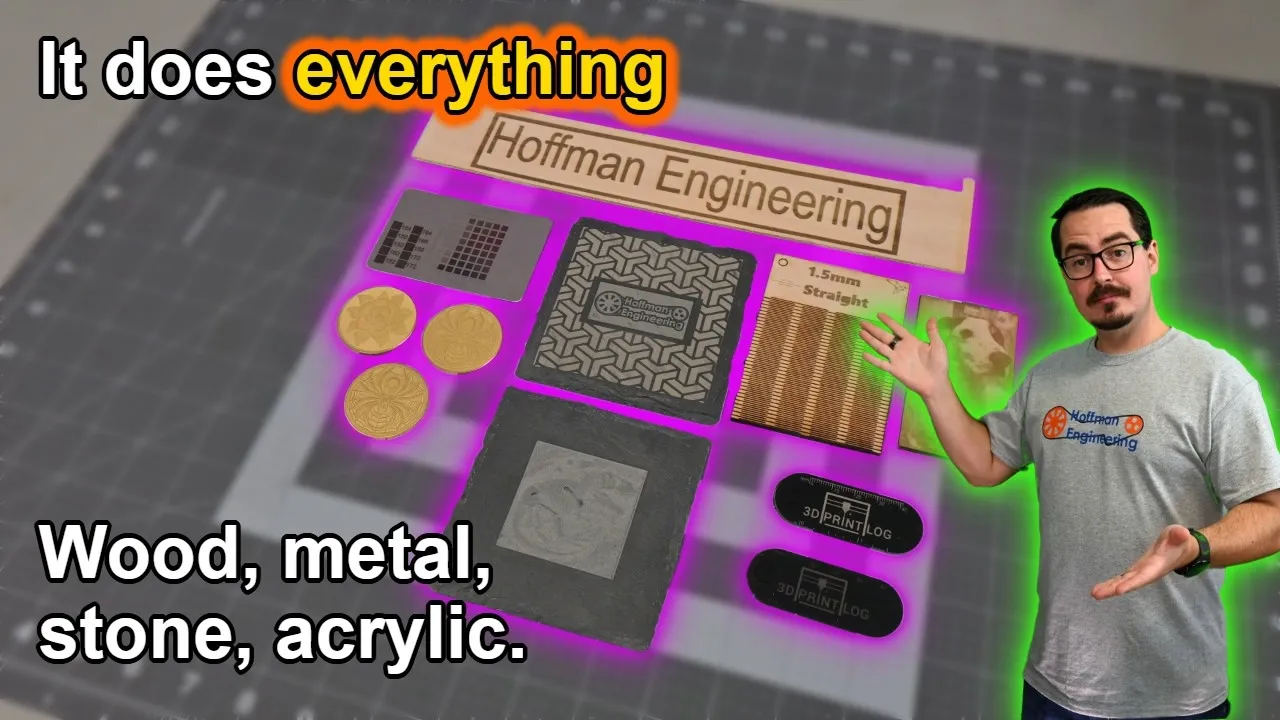
Coated aluminum cards engraved beautifully and consistently, even in busy areas like gears where the laser jumps around. Some lasers leave lines where the head moved. The Nova didn’t. Image engraving on coated aluminum looked great too.
Brass deep engraving worked well. The Nova removed about 1mm from a brass coin in a little over an hour, and LightBurn’s 3D Slice feature produced great 3D results. A more powerful laser would go deeper faster, but the 20W source did a great job.
Stainless steel engraving was perfect with the provided settings. I got a crisp white and a fairly deep black, and a stainless flask and a dog tag both came out great.
Cutting stainless steel worked too. The Nova cut 0.05mm steel shim stock in a single pass and took 5 passes for 0.13mm steel sheet. Heat management matters more as the material gets thicker, since heat causes warping, but it cut the steel.
Color on stainless steel is where it’s limited. The Nova isn’t a MOPA laser, so colors are hard to control. Varying speed, power, line interval and focal distance mostly gave me shades of white, orange, gray and black. If you want consistent colors on stainless, get EM-Smart’s MOPA variant instead.
Black Acrylic and Slate Results
Black acrylic was my favorite material on the Nova. It produced beautifully detailed white engravings, and a photo of my cat Sven looks incredible. The small laser dot plus the frequency control on the laser source made these photo engravings possible.
Text and graphics looked as good. The lettering on a 3D Print Log keychain is crisp, with no bubbling or burning of the acrylic.
Slate turned out excellent too. A few passes on the outer design removed enough material for a 3D effect, and the interior came out a clean white that contrasts nicely with the gray shades around it.
EM-Smart Nova Price and Bundles
When I recorded the review, the 20W machine was on sale for $1,899, the rotary bundle for $2,099, and the smoke purifier bundle for $2,498. That put it in the middle of the market for 20W fiber lasers.
The price has dropped since. EM-Smart’s US store now lists the Nova 1 (20W) with EZCad at $1,499, or $1,699 with LightBurn. The 20W rotary bundle (Nova 1R) is $1,699 with EZCad or $1,899 with LightBurn. I couldn’t confirm a current price for the smoke purifier bundle. Code HOFF1 takes $100 off the Nova.
You can find cheaper 20W fiber lasers. But I’d put the engraving quality I got from the Nova at the top of the 20W fiber lasers I’ve tested. If you want a comparison point, see my Gweike G2 review.
Verdict: Should You Buy the EM-Smart Nova?
The EM-Smart Nova is an excellent 20W fiber laser engraver. The folding design keeps the footprint small while it runs and lets you put it away when you’re done. That compactness doesn’t cost you power: it cut stainless steel, deep engraved a brass coin, and produced some of the best photo engravings I’ve made on coated aluminum and black acrylic.
It does skip some conveniences. There’s no autofocus and no electric lift, and you should check the galvo cable if your first job comes out as a straight line. For a lot of people, portability makes the manual focus an easy trade. Skip it if you need consistent colors on stainless (get a MOPA) or want to remove material fast (get more power).
If you’re a hobbyist or a small business that mostly engraves, with the occasional metal cut or deep engraving job, a 20W fiber laser may be all you need, and the Nova is one I’d recommend even if you don’t need it to fold.
Check the latest price at EM-Smart and use code HOFF1 for $100 off.
Pros and cons
✓ Pros
- Laser arm folds down for storage and the whole machine weighs 8.5kg (18 lb)
- Very detailed photo engraving on black acrylic and coated aluminum
- Included stainless steel settings gave a crisp white and a deep black
- Cut 0.05mm steel shim in one pass and 0.13mm steel sheet in five passes
- Factory-calibrated EZCad 2 configs and a large material parameter list on the USB stick
- Works with LightBurn Pro, which can import the EZCad 2 configuration
- Inline red laser is easy to see from any angle, even through safety glasses
- EM-Smart support responded quickly and was helpful
✗ Cons
- No autofocus or electric lift. Focus is a manual knob
- Galvo cable arrived loose on my unit, so the first job engraved only a straight line
- LightBurn sizing needed calibration. A 70mm test ruler came out around 63mm
- Not a MOPA laser, so colors on stainless steel are hard to control
- The two focus dots sit about 1mm apart and never fully merge
- The removable work surface slides around. Secure it before using the jigs
- LightBurn needs the paid Pro license for fiber lasers
Specs
| Laser Power | 20W fiber |
|---|---|
| Wavelength | 1064nm (infrared) |
| Pulse Frequency | 30 to 60kHz |
| Work Area | 110 x 110mm with the included lens (70mm and 150mm lenses sold separately) |
| Rated Max Speed | Up to 10,000mm/s |
| Repeatable Accuracy | 0.002mm (claimed, not verified) |
| Max Object Height | 95mm |
| Focus | Manual knob with dual red dot guide, no autofocus |
| Weight | 8.5kg (18 lb) |
| Software | EZCad 2 (included), LightBurn Pro |
| Connectivity | USB |
Where to buy
- EM-Smart Nova 20W Fiber Laser (US store)$1,499 →
- EM-Smart Nova 20W Fiber Laser (EU store)Check price →
- Other EM-Smart fiber lasers (US store)Check price →
- Other EM-Smart fiber lasers (EU store)Check price →
Use code HOFF1 for $100 off at EM-Smart. Prices may have changed since this review.
FAQ
Is the EM-Smart Nova the same as the EM-Smart One?
Yes. The Nova is the EM-Smart One under a new name. The machine in this review was sold as the One when I tested it, and EM-Smart rebranded it as the Nova.
Is the EM-Smart Nova worth it?
If you mostly engrave and only occasionally cut thin metal or deep engrave, yes. The engraving quality was at the top of the 20W fiber lasers I've tested, and the folding design lets you put it away when you're done. If you want faster deep engraving or consistent colors on stainless steel, look at a more powerful or MOPA fiber laser instead.
What materials can the EM-Smart Nova engrave and cut?
I engraved coated aluminum, brass, stainless steel, black acrylic and slate with it. It also cut stainless steel shim stock, 0.05mm in a single pass and 0.13mm in five passes. As a 1064nm fiber laser, it suits almost all metals plus many plastics and natural materials like leather and stone.
Can the EM-Smart Nova engrave colors on stainless steel?
Not reliably. It isn't a MOPA laser. Changing speed, power, line interval and focal distance mostly gave me shades of white, orange, gray and black. For consistent colors, get EM-Smart's MOPA version instead.
Does the EM-Smart Nova work with LightBurn?
Yes, with a LightBurn Pro license. LightBurn imports the EZCad 2 configuration, so setup is quick, but I had to correct the scale after a test ruler engraved short.
This EM-Smart Nova was provided by EM-Smart for review. They didn't pay for the review. This post contains affiliate links. If you purchase through them, I may earn a small commission at no extra cost to you. All opinions are my own.
See how the EM-Smart Nova 20W Fiber Laser compares to the other lasers I've tested