Genmitsu Kintix 10W Review: The Hidden 85° Galvo Setting
A fast, precise, fully enclosed Class 1 diode laser for wood, slate, dark acrylic and coated metals, once the scan angle is set to 85 degrees. It makes the most sense if you want galvo speed in an enclosed package and can work inside a 200 x 100mm area.
Check priceOn this page
One setting buried in LightBurn completely changes how the Genmitsu Kintix 10W performs. It’s not in the manual and it’s not on the product page. This Genmitsu Kintix 10W review covers that setting, how the hybrid galvo design works, and a month of test results on wood, acrylic, slate and metal. Set it up wrong and you have a slow, slightly odd gantry laser. Set it up right and you get galvo speed in a fully enclosed package for under $500.
How the Kintix Hybrid Galvo Laser Works
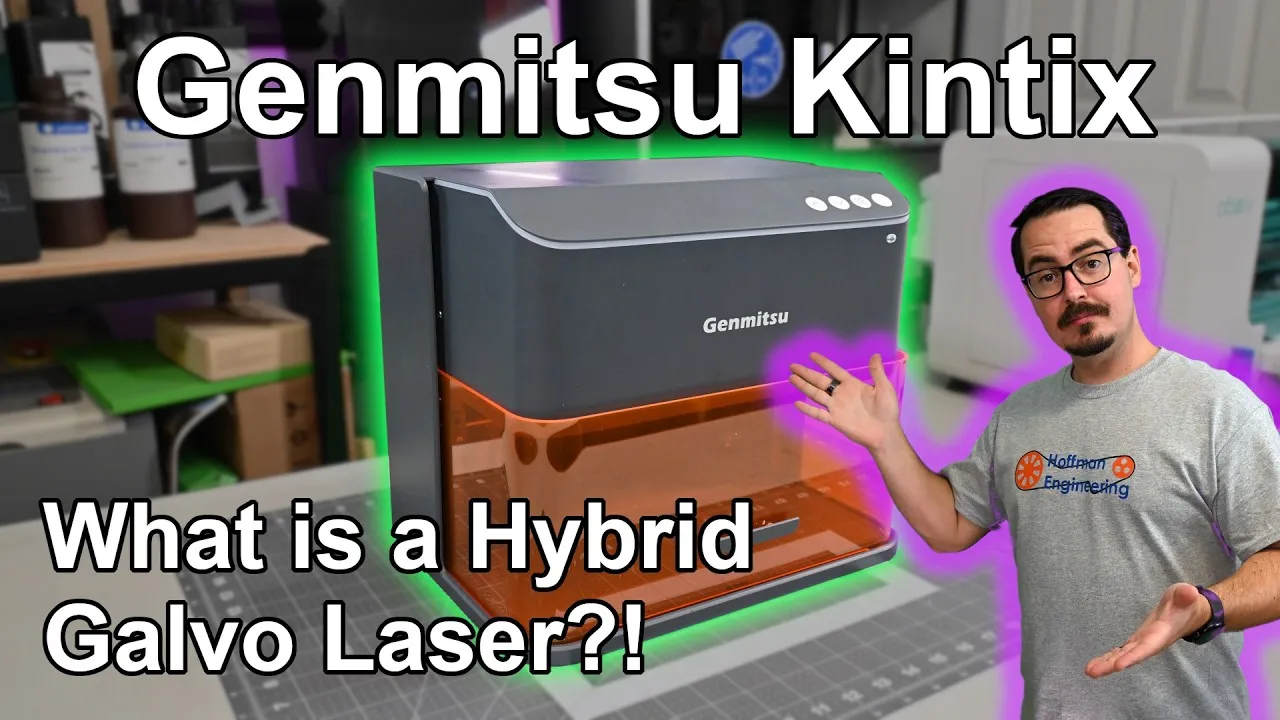
The Kintix is a hybrid diode-galvo laser engraver with a 455nm visible blue diode. It comes in 5W and 10W versions, and I tested the 10W. Like other blue diode lasers, it suits wood, leather, stone, black acrylic and coated metals, and it doesn’t work well on clear acrylic or untreated glass without a marking compound or coating.
It is not a traditional galvo. A traditional galvo steers the beam with two mirrors, one for X and one for Y, and nothing else moves. The Kintix has a single galvo mirror for the Y-axis and a standard linear rod X-axis that carries the laser head across the work area. So the Y-axis gets galvo speed and acceleration while the X-axis moves at normal gantry speeds. There’s no tiling and there are no stitched fields.
That matters for setup. Genmitsu advertises engraving speeds up to 90,000mm/min, but that’s the Y-axis number. The X-axis is much slower. With the default 0 degree scan angle, the laser scans back and forth along the slow X-axis and the galvo only makes the small jumps between rows. You get almost none of the galvo benefit.
The 85 Degree Scan Angle Setting
The fix is to change the scan angle so the fast galvo Y-axis does the scanning. You’d expect 90 degrees to be the answer. When I tried it, the X-axis jumped and jittered at each line step and left a rough texture on the engraving.
After a lot of testing I landed on 85 degrees. The galvo still does the vast majority of the work, but the X-axis moves smoothly and continuously instead of stepping, and the finish is much cleaner. This isn’t documented anywhere. Set it in LightBurn or CutLabX before you judge the machine. Every test below was run at 85 degrees.
Engraving Speed in Practice
Even with the scan angle set, you won’t hit 90,000mm/min on most materials. The galvo can move that fast, but a 10W diode can only put down so much energy per second. On wood, speed capped at around 16,000mm/min. For image engravings I topped out around 10,000mm/min before the detail became too light to see. Treat the rated speed as a ceiling. Laser power is the bottleneck on most materials.
Cooling, Airflow, and Fumes
The laser module is air cooled, but none of that airflow reaches the material. There’s no air assist, and the cooling fan doesn’t push smoke or flames away from the cut the way it does on many diode lasers.
In practice, flames happen often enough that you can’t walk away during cuts. Most go out on their own, but you need to watch the machine. My workaround was to run faster with more passes, which keeps the laser moving and lets the material cool between passes.
An exhaust fan at the back pulls smoke out the rear vent and does an okay job. But there’s a fairly large gap between the door and the body, and a lot of smoke and smell escapes out the front. Even though the Kintix is enclosed, plan on a fume extractor or a well-ventilated workspace. SainSmart sells the MD2 smoke purifier separately.
Auto-Lift Focus and Working Area
Focusing is quick. Press a button and the whole galvo head raises or lowers electrically, with engraving heights from 50 to 80mm. Two red dots project onto the material, and when they merge into one you’re in focus. It takes a couple of seconds.
The work area is 200 x 100mm, roughly 8 by 4 inches. That’s bigger than a typical fiber or UV galvo field, but small for a diode laser engraver, so expect to pre-cut your stock. Lining material up is also tougher than usual. The galvo head sits high in the enclosure with no nozzle pointing down at a known spot, so plan on framing in software and making more adjustment passes than you’d expect.
There are two workarounds for bigger objects. The bottom is removable, so you can set the Kintix on top of a tabletop or large panel and engrave it directly. You lose the safety of the enclosure while you do. And four thumb screws at the back let you lift the laser body about 10 inches in around 30 seconds, which makes room for taller objects or a rotary. SainSmart sells the MD19 rotary roller for cups and tumblers and the MD18 rotary chuck for bottles and glasses. I didn’t test rotary work for this review.
Galvo Edge Distortion
Because the mirror steers the beam at an angle, the beam hits the material at a slight angle near the top and bottom of the work area. Horizontal cuts come out with a beveled edge, and the bevel gets steeper the closer you get to those edges. In the center, cuts are square. Plan for that if you’re cutting parts that have to fit together precisely.
Class 1 Enclosure, Safety, and Noise
The Kintix is fully enclosed and rated as a Class 1 laser. Most diode lasers in this price range are open-frame Class 4 machines that need OD4+ safety goggles any time the laser is on. Here the enclosure’s shield blocks the 455nm blue light, so you can watch a job through the window without eye protection during normal operation.
A lid sensor pauses the laser if the enclosure is opened mid-job. That sensor is a little finicky. Sometimes lowering the door didn’t fully press the switch and the job wouldn’t start. If the light bar blinks and the laser won’t fire, push the lid down more firmly.
A pair of safety glasses is included. Wear them any time you remove the bottom to engrave something larger.
Noise measured about 58 dB from a foot away while engraving. The X-axis is the only thing moving during a cut, and the galvo mirror itself is silent.
Software and Setup: LightBurn, CutLabX, and the App
The Kintix arrives fully preassembled. No gantry to build, no belts to tension. Unbox it, plug it in, and go. The box includes a TF card, some material samples and the safety glasses.
Genmitsu’s free CutLabX software runs on desktop and mobile, and there’s a Genmitsu App for phone control. CutLabX is a fine place to start if you’re new to lasers.
I used LightBurn for most of my testing. The Kintix shows up as a GRBL device, so you only need the LightBurn Core license, not the Pro license that galvo lasers require. The LightBurn config file is on the TF card, along with the manual, drivers, test files and sample parameters. I imported it and everything worked on the first try.
You can connect over USB, over Wi-Fi on your network, or straight to the machine’s built-in access point. It also runs jobs offline from the TF card.
Material Test Results
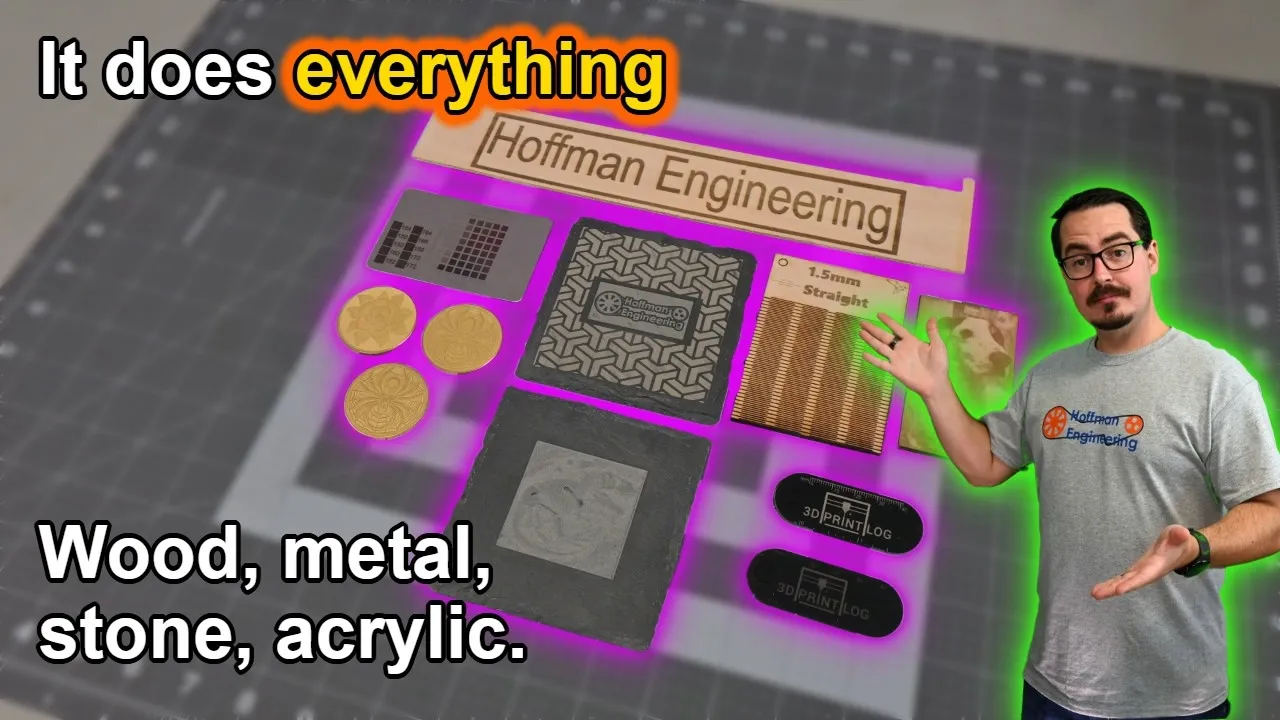
Wood. 3mm plywood cut cleanly with 7 passes at 1000mm/min. The slow single-pass cuts I tried first kept catching fire, so more passes at a higher speed was the answer. Kerf offset measured 0.06mm. Engraving is where the galvo pays off. Photo engravings came out clean and detailed at 6000mm/min and 100 percent power. With no air on the material, deeper cuts leave a dark, sooty edge, so plan on sanding or wiping parts down.
Acrylic. Clear acrylic is off the table for a diode laser. Dark acrylic engraved cleanly, and 3mm black acrylic cut through in about 12 passes at 1000mm/min.
Slate. A slate coaster came out with a clean, high-contrast white engraving.
Coated aluminum. The Kintix can’t cut metal, but coated aluminum business cards engraved with crisp edges and good contrast.
Stainless steel. Some 10W diodes can color mark bare stainless with oxide colors. That did not work here. Even at the highest power settings, the Kintix barely left a mark. Paint the stainless black and engrave through the paint, or step up to a fiber laser if metal marking is a priority.
Verdict: Should You Buy the Genmitsu Kintix 10W?
The Genmitsu Kintix 10W fills an interesting gap. You get galvo speed on the scanning axis without the tiny work field of a traditional galvo, in a fully enclosed package. Once the scan angle is set, it’s a fast, precise diode laser that handles wood, slate, dark acrylic and coated metals well. The Class 1 enclosure also makes it one of the few diode lasers I’d feel comfortable recommending for a classroom, studio or shared workspace.
The trade-offs are real. The work area is small. With no air assist, flames are common on slow cuts and cutting means many passes, so total cutting speed is slower than other 10W lasers I’ve tested. The lid sensor is finicky, positioning material is harder than usual, and bare stainless steel is a no-go.
So it makes the most sense if you want galvo speed in an enclosed machine, you’re happy with a smaller footprint, and you work on diode-friendly materials. When I recorded the video, the 10W was on sale for $466 against a regular price of $549. When I checked for this post, SainSmart listed it at $359, with the 5W version at $279.
Check the latest price at SainSmart
Pros and cons
✓ Pros
- Galvo speed on the Y-axis without the tiny work field of a traditional galvo
- Fully enclosed Class 1 design, no eye protection needed during normal operation
- Arrives fully preassembled, with the LightBurn config file on the included TF card
- Electric auto-lift focus with dual red dot positioning sets focus in a couple of seconds
- Clean, detailed photo engravings on wood at 6000mm/min and 100 percent power
- Quiet. About 58 dB from a foot away while engraving
- Shows up as a GRBL device, so LightBurn Core is enough
- Removable bottom and a body that lifts about 10 inches for larger or taller objects
✗ Cons
- The 85 degree scan angle that unlocks the galvo speed isn't documented anywhere
- Small 200 x 100mm work area
- No air assist and no airflow on the material, so flames are common on slow cuts and you can't walk away
- Cutting takes many passes. 3mm plywood needed 7 passes at 1000mm/min
- Smoke and smell escape through the gap around the front door
- Lid sensor is finicky and sometimes needs a firmer push before a job will start
- Material positioning is harder than on most laser engravers because there's no nozzle to sight along
- Barely marks bare stainless steel, even at the highest power settings
- Horizontal cuts are beveled near the top and bottom edges of the work area
Specs
| Laser Power | 10W diode (a 5W version is also available) |
|---|---|
| Wavelength | 455nm (visible blue) |
| Motion System | Hybrid galvo. One galvo mirror on the Y-axis, linear rod on the X-axis |
| Work Area | 200 x 100mm (roughly 8 x 4 inches) |
| Rated Max Speed | 90,000mm/min on the galvo Y-axis. In testing, wood engraving capped around 16,000mm/min and image engraving around 10,000mm/min |
| Kerf Offset (tested) | 0.06mm |
| Focus | Electric auto-lift with dual red dots, 50 to 80mm engraving height |
| Air Assist | None, and no cooling-fan airflow reaches the material |
| Safety | Class 1 enclosure with lid sensor |
| Noise (tested) | About 58 dB from a foot away |
| Software | CutLabX, Genmitsu App, LightBurn (GRBL device, Core license) |
| Connectivity | USB, Wi-Fi, built-in access point, offline from TF card |
Where to buy
- Genmitsu Kintix 10W (SainSmart)$359 →
- Genmitsu Kintix 10W (Amazon)Check price →
- Genmitsu Kintix 5W (SainSmart)$279 →
- Genmitsu Kintix 5W (Amazon)Check price →
- MD18 Chuck Rotary AttachmentCheck price →
- MD19 Roller Rotary AttachmentCheck price →
- MD2 Smoke PurifierCheck price →
Prices may have changed since this review.
FAQ
Is the Genmitsu Kintix 10W worth it?
It is if you want galvo speed in a fully enclosed Class 1 package and your work fits a 200 x 100mm area on wood, slate, dark acrylic or coated metals. Set the scan angle to 85 degrees first, because that setting decides how the machine performs. If you need fast cutting, a large work area or bare stainless steel marking, it's the wrong tool.
What scan angle should you use on the Genmitsu Kintix?
Use 85 degrees in LightBurn or CutLabX. At the default 0 degrees the slow X-axis does the scanning and you get almost none of the galvo benefit. At exactly 90 degrees the X-axis jumped and jittered at each line step and left a rough surface. At 85 degrees the galvo does the vast majority of the work while the X-axis moves smoothly.
Is the Genmitsu Kintix a real galvo laser?
Not a traditional one. A traditional galvo steers the beam with two mirrors and has no moving gantry. The Kintix uses a single galvo mirror for the Y-axis and a standard linear rod X-axis that moves the laser head. There's no tiling and no stitched fields.
What materials can the Genmitsu Kintix 10W cut and engrave?
In testing it engraved wood, dark acrylic, slate and coated aluminum cleanly. It cut 3mm plywood in 7 passes at 1000mm/min and 3mm black acrylic in about 12 passes at 1000mm/min. As a blue diode laser it can't cut or engrave clear acrylic, it can't cut metal, and it barely left a mark on bare stainless steel.
Do you need safety glasses with the Genmitsu Kintix?
Not during normal operation. The Kintix is rated as a Class 1 laser, and its enclosure blocks the 455nm blue light, so you can watch through the window. A pair of safety glasses is included for the times you remove the bottom to engrave something larger, because you lose the safety of the enclosure when you do.
This Genmitsu Kintix 10W was provided by SainSmart for review. This post contains affiliate links. If you purchase through them, I may earn a small commission at no extra cost to you. All opinions are my own.
See how the Genmitsu Kintix 10W compares to the other lasers I've tested